
Xencelabs Pen Tablet Medium
$170.00
- Compact ergonomic design with a gently curved palm rest and adjustable LED indicators for a comfortable and intuitive experience
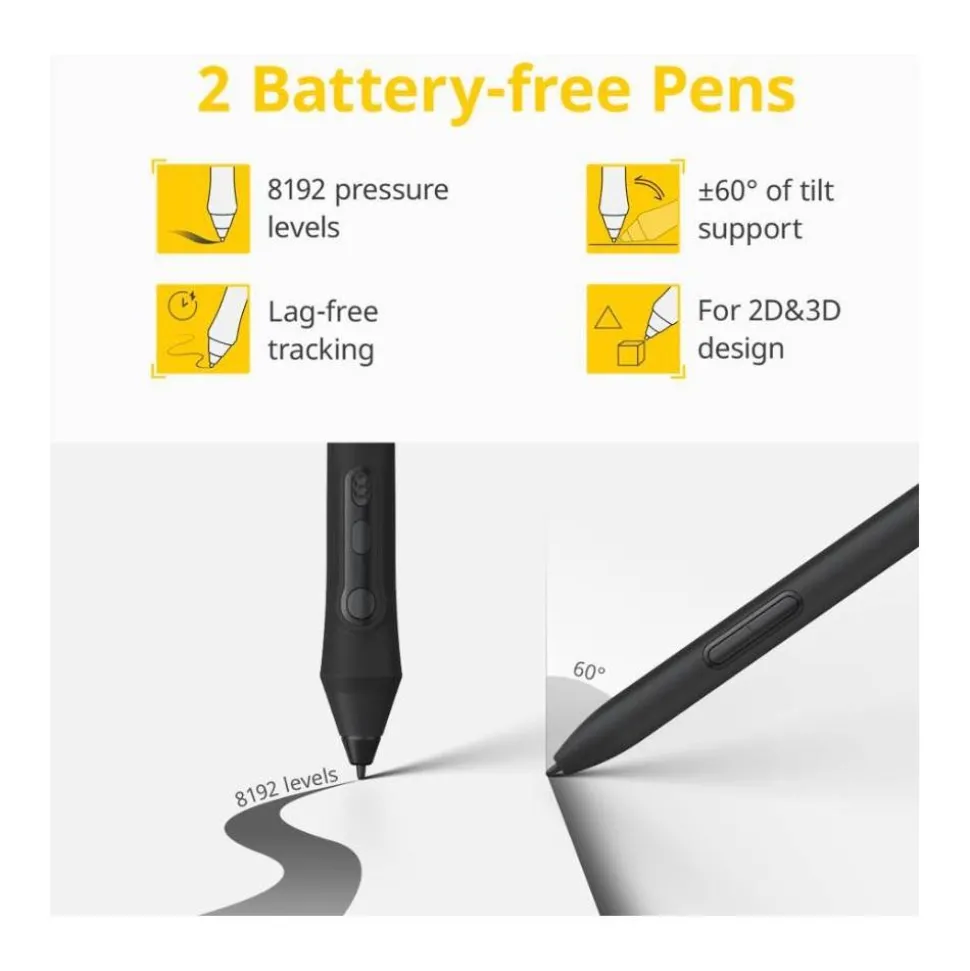
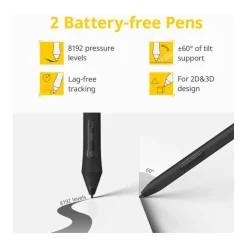
- Includes two customisable pens with 8,192 pressure levels and up to 60 degrees of tilt, catering to a variety of drawing styles
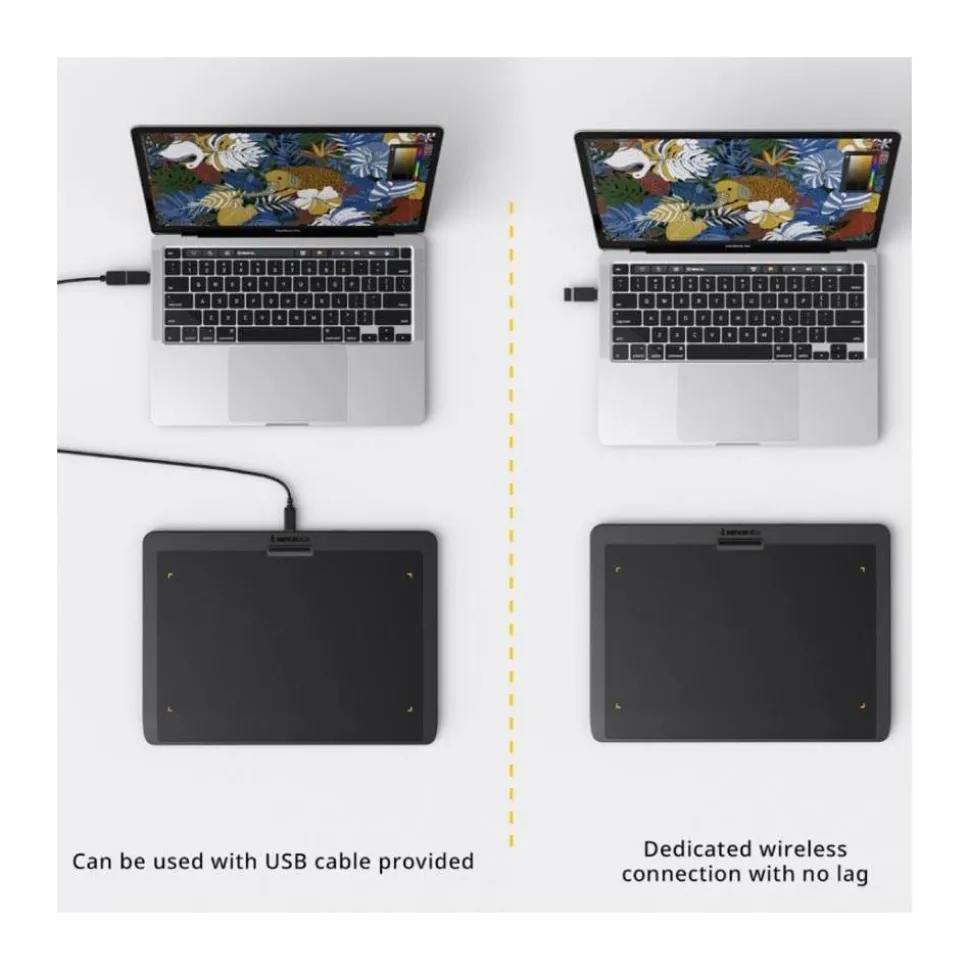
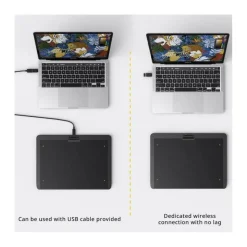
- Connect easily whether wireless or wired for flexibility to use the pen tablet in a more comfortable setting
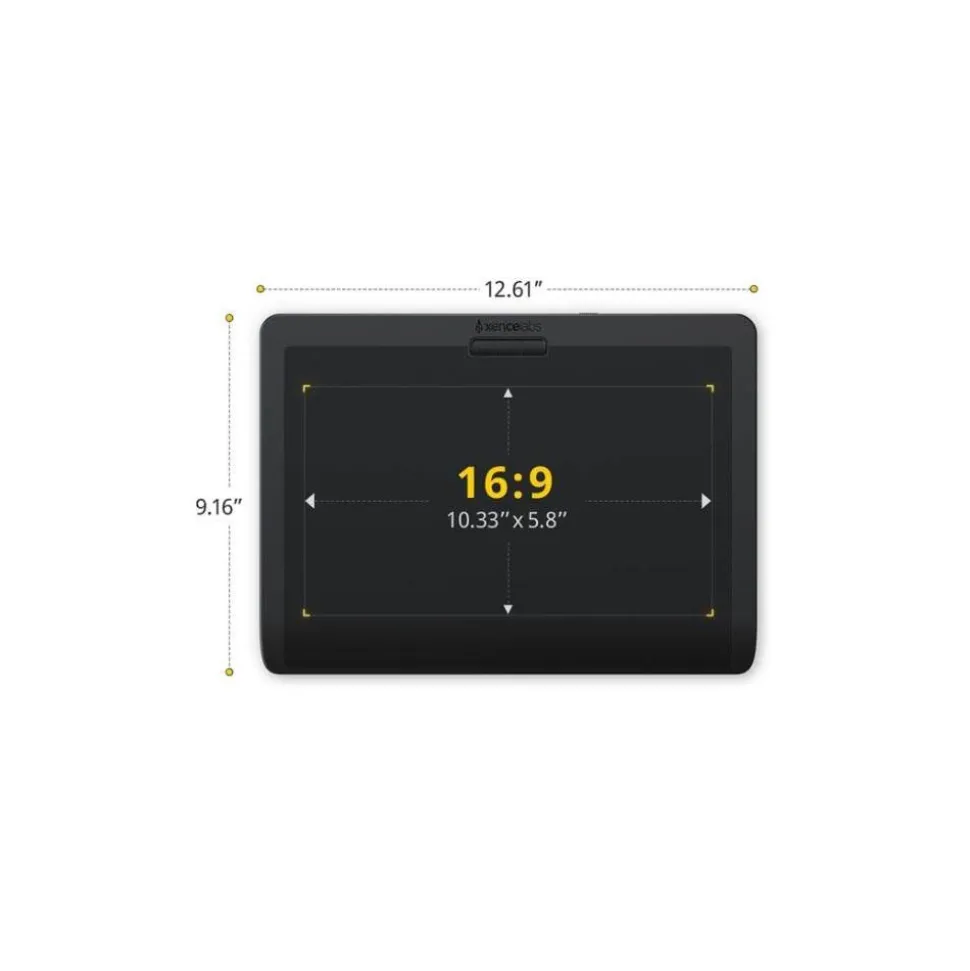
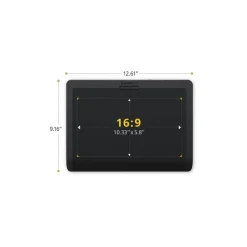
- The tablet features a native 16:9 aspect ratio which accurately matches industry-standard monitors for ease of use
- Compatible with macOS 10.12 or later, Windows® 7 or later, and select Linux operating systems including Ubuntu 14.04 or above, Debian 9.5
Key Features
- High-quality Pen drawing experience
- Finely tuned pressure curves with 8,192 pressure levels
- Two pens included with a 3-Button Pen with eraser and Thin Pen with eraser
- Gently curved palm rest provides great ergonomics
- Wireless or wired connectivity
- Feature-rich driver compatible with macOS, Windows, and Linux computers
- Comprehensive accessory pack included
- Kensington Nano Security Slot™ offers additional security
Xencelabs Pen Tablet Medium Summary
A quality drawing experience requires a quality and this Xencelabs Pen Tablet Medium has been designed with the input of industry leading artists. This allows it to deliver precision and reliability within a minimal design, which provides comfort and functionality for an unrivalled drawing experience.
The Xencelabs Pen Tablet Medium offers creatives excellent levels of sensitivity, enabling you to control even the lightest of strokes, and it includes a comprehensive range of accessories to get you started.
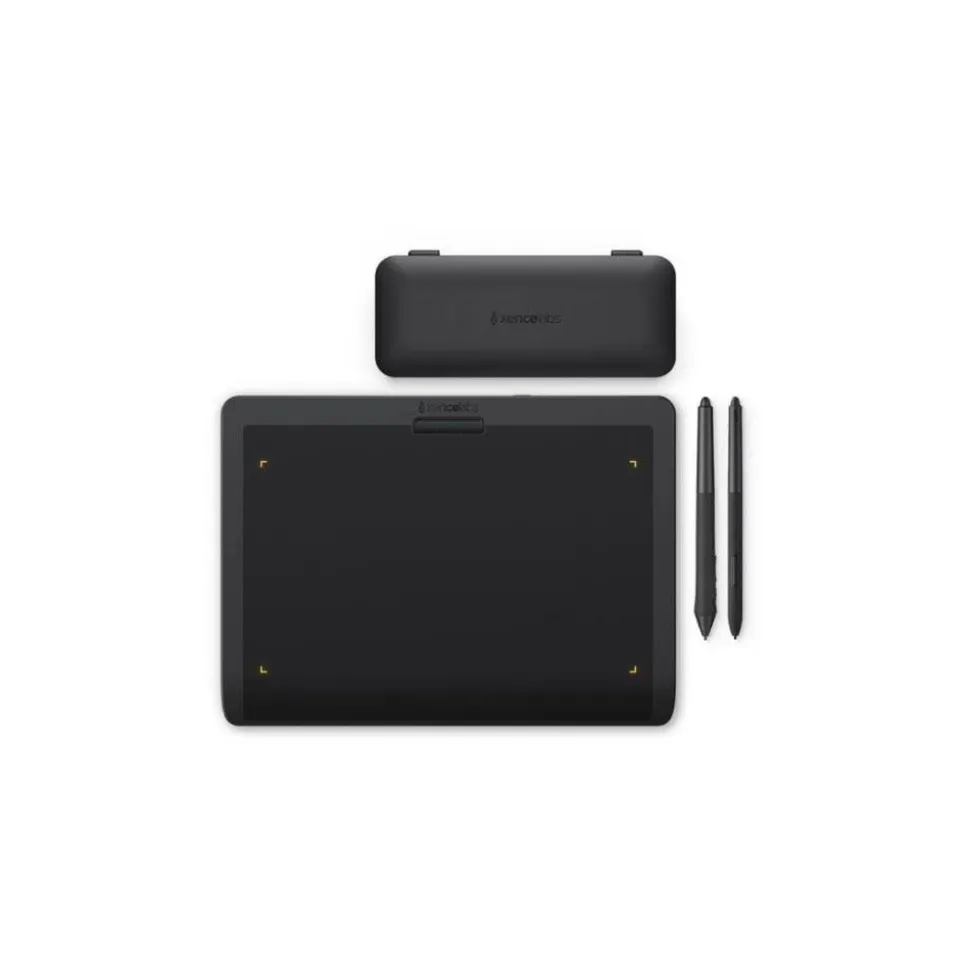
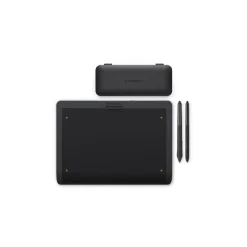
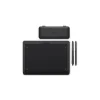
Two different digital pens, a pen case, and a protective padded case are all included, alongside replacement pen nibs, a nib extractor, medium sized drawing glove and a USB-A wireless dongle, USB-A to C adapter and a USB cable.
The medium tablet features a design that incorporates a gently curved palm rest to maximise ergonomics, plus adjustable LED indicators to help define the active drawing area. This area is a native 16:9 aspect ratio in order to match industry-standard monitors. The device can be used wirelessly via the included USB dongle, or through a wired USB connection that simultaneously charges the tablet.
Xencelabs Pen Tablet Medium in More Detail
Intuitive Design and Ergonomics
The Pen Tablet Medium features a sleek design with a gently curved palm rest for enhanced comfort. Its adjustable LED indicators help define the active drawing area, which perfectly matches the 16:9 aspect ratio common to industry-standard monitors.
Advanced technology boosts sensitivity where the pen meets the tablet, allowing precise control over even the lightest marks. Customising your pen pressure sensitivity is equally easy and just a button press away, letting you customise the drawing experience to your unique style.
Two Pens Included for Versatility
Every Xencelabs Pen Tablet including this one includes two pens, each of which is customisable to each application in order to fit into your workflow. The 3 Button Pen offers a solid weight and feel, with three programmable buttons and an eraser, while the included Xencelabs Thin Pen, with its slimmer barrel and two buttons, imitates the feel of a traditional pencil.
Both pens are battery-free, use electromagnetic resonance (EMR) technology, and support 8,192 pressure levels with up to 60 degrees of tilt, and come in a protective case with standard and felt nib replacements and a nib extractor.
Programmable Quick Keys for Greater Efficiency
Quick Keys are included in the Pen Tablet Medium Bundle SE, which enhance productivity with easily programmable buttons and dial control. Quick Keys provides 8 buttons with OLED displays, and up to 40 shortcuts per application.
The dial supports four functions per app, with a colour-programmable LED ring to indicate active controls. The control device even retains settings even after updates, which can be shared or interchanged across applications for streamlined customisation.
Flexible Connectivity
Both the Pen Tablet Medium and Quick Keys can be used wirelessly via the included USB dongle, or through a wired USB connection, which will also charge the devices.
Special Edition Nebula White Finish
In this special edition bundle, the Pen Tablet Medium, Quick Keys, 3 Button Pen, Thin Pen, Pen Case, and USB Dongle come in a stunning Nebula White finish, complemented by grey accessories, including the USB A-C adapter, USB cables, and Drawing Glove.
Compatibility
- macOS 10.12 or later
- Windows® 7 or later
- Linux (see note below)
Xencelabs feature rich driver is available for macOS and Windows®, while a fully functional Linux driver provides similar features and is compatible with Ubuntu 14.04 or above, Debian 9.5, CentOS 7.0 or above, and RedHat 7.0 or above.
System requirements
- An available USB-A or USB-C port for the Xencelabs USB dongle, and/or additional USB port for wired connection.
- Pen Tablet Medium can be used wirelessly with the supplied Xencelabs USB dongle, or over a wired USB connection.
- USB connection is used to charge the Pen Tablet Medium.
- Internet connectivity for driver download.
Comparison between Xencelabs Pen Tablet Medium displays
|
| Xencelabs Pen Tablet Medium |
|
| Xencelabs Pen Tablet Medium (Nebula White) | Xencelabs Pen Tablet Medium | (x10) Xencelabs Pen Tablet Medium |
| Quick Keys (Nebula White) | – | – |
| Padded Carry Case | Padded Carry Case | – |
| Pen Case (Nebula White) | Pen Case | – |
| 3 Button Pen + Eraser (Nebula White) | 3 Button Pen + Eraser | (x15) 3 Button Pen + Eraser |
| Thin Pen + Eraser (Nebula White) | Thin Pen + Eraser | – |
| (6) Standard Nibs | (6) Standard Nibs | (x100) Standard Nibs |
| (4) Felt Nibs | (4) Felt Nibs | – |
| Nib Extraction Ring | Nib Extraction Ring | (x5) Nib Extraction Ring |
| USB-A Dongle (Nebula White) | USB-A Dongle | – |
| USB-A to USB-C Adapter (Nebula White) | USB-A to USB-C Adapter | – |
| (2) USB-A to USB-C (L-shaped) Cables (Grey) | USB-A to USB-C (L-shaped) Cable | (x10) USB-A to USB-C (L-shaped) Cable |
| Drawing Glove (Medium) Grey | Drawing Glove (Medium) Black | – |
| Quick Guide / Thank You Card | Quick Guide / Thank You Card | – |
| Xencelabs Sticker | Xencelabs Sticker | – |
| Warranty Card | Warranty Card | – |
| – | – | Custom Storage Case for above contents |
What’s in the Box
- Xencelabs Pen Tablet Medium
- Padded Carry Case
- Pen Case
- 3 Button Pen + Eraser
- Thin Pen + Eraser
- (6) Standard Nibs
- (4) Felt Nibs
- Nib Extraction Ring
- USB-A Dongle
- USB-A to USB-C Adapter
- USB-A to USB-C (L-shaped) Cable
- Drawing Glove (Medium) Black
- Quick Guide / Thank You Card
- Xencelabs Sticker
- Warranty Card
Be the first to review “Xencelabs Pen Tablet Medium”
Related products
Accessories

Accessories
Accessories
Accessories
Accessories
Accessories
Accessories
Accessories
Accessories
Accessories
Accessories
Accessories
Accessories
Accessories
Accessories
Login
Reviews
There are no reviews yet.